The best logo file for a sign is a vector file: an AI, EPS, SVG, or true-vector PDF with the fonts outlined. Vector files are built from lines and curves that rescale to any size. Raster files like JPG and PNG are built from pixels and blur when enlarged (Adobe, Raster vs. vector: What are the differences?, 2026). For custom signs in Tampa, that difference decides whether we cut your logo or rebuild it first.
This guide covers what we check at the counter: file format, true vector or not, outlined fonts, and color references. It also covers what to do when all you have is a JPG. It comes from the files customers send us every week.
Key Takeaways
- Send a vector file (AI, EPS, or vector PDF) with fonts outlined; cut letters follow that outline.
- JPG and PNG logos can usually be rebuilt; photographic logos and gradients cannot be cut as letters.
- HP's 2026 guide: graphics viewed from 3 to 5 feet need 150 to 200 PPI (HP, Large Format Printing Best Practices, 2026).
- Give us a Pantone number or a physical swatch; we match paint and print to it.
What is the difference between a vector logo and a raster logo?
A vector logo is drawn from lines and curves that recalculate at any size. A raster logo is a grid of pixels that blurs when enlarged. Adobe's file-type guide describes raster images as "tiny color squares" and vector files as built from "mathematical equations, lines, and curves" (Adobe, Raster vs. vector: What are the differences?, 2026).
Why does a sign shop care? Because dimensional letters are cut along the vector outline, and the router or laser follows the path in your file edge for edge. A JPG has no path to follow, only pixels, and a pixel grid gives the machine nothing to trace.
SVG is the same idea. The W3C defines it as "a language for describing two-dimensional graphics" built from vector shapes, images, and text (W3C, SVG 2 Chapter 1: Introduction, 2026). Note that an SVG can hold images too, so the extension alone proves nothing.
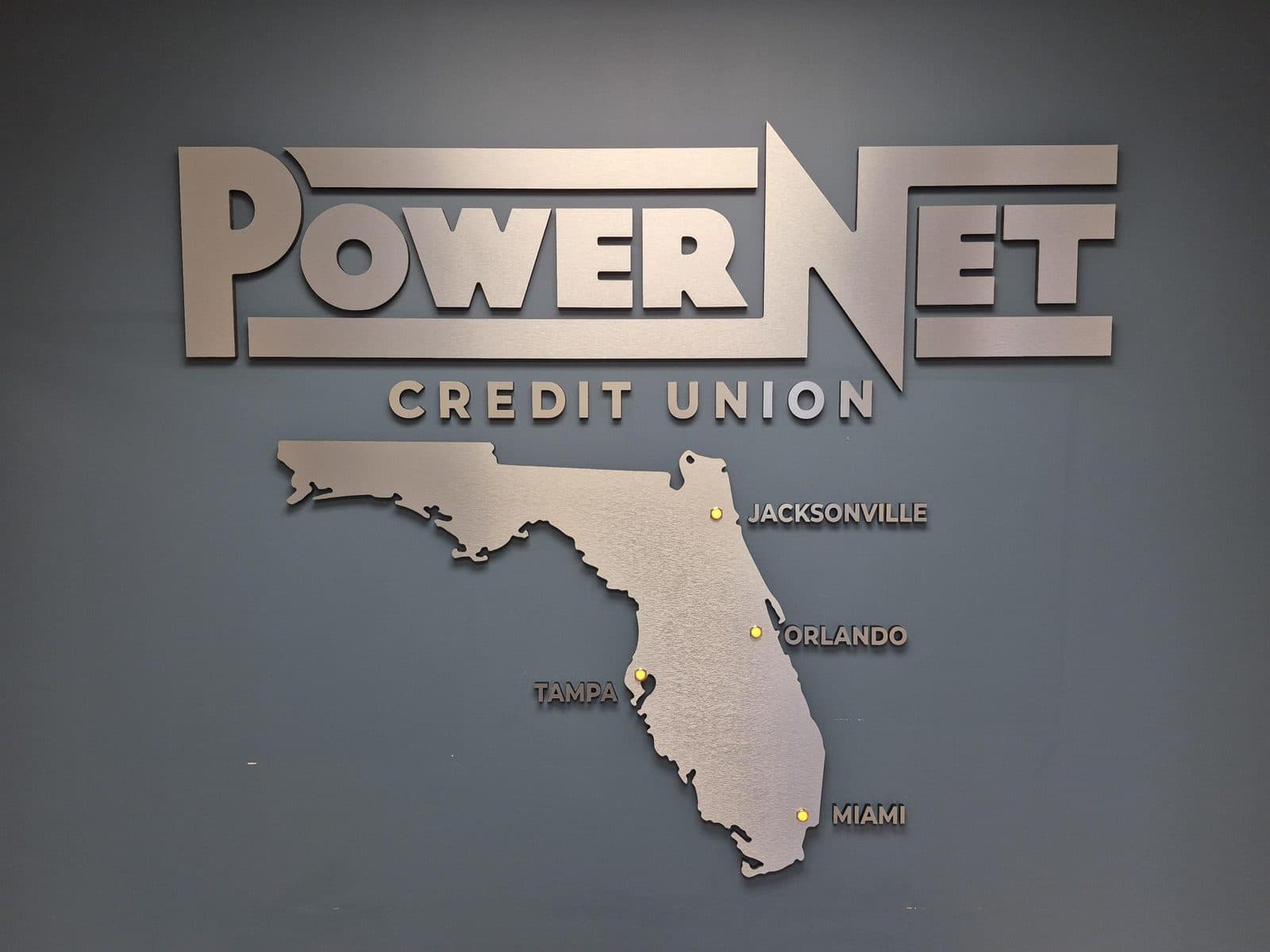
The credit union wall above was cut straight from the customer's vector artwork, so the coastline of the Florida map matches the logo down to the inlets. That's the payoff on the lobby logo signs we build: no redrawing and no guessing at curves. More examples are in our recent projects.
Which logo file formats work for a sign?
AI, EPS, SVG, and true-vector PDF files work for signs, and DXF works for CNC cutting. JPG, PNG, and GIF are raster and need rebuilding first. Adobe's guide lists .ai, .eps, .svg, and .pdf as vector formats and .jpg, .png, .gif, and .tiff as raster (Adobe, Raster vs. vector: What are the differences?, 2026).
One wrinkle: Adobe notes that "professional printers often use EPS files for large-scale ads," while SVGs "are specifically designed for web use" (Adobe, EPS vs. SVG: What are the differences?, 2026). For our shop, an SVG is fine as long as the artwork inside is true vector. DXF is the CNC format, which Autodesk describes as "a tagged data representation of all the information contained in an AutoCAD drawing file" (Autodesk, About the DXF Format (DXF), 2025). We convert from AI or PDF ourselves, so most customers never need one.
| File type | Vector? | Good for | Watch out for |
|---|---|---|---|
| AI (Illustrator) | Yes | Cut letters, painted panels, printing | Fonts must be outlined or sent along |
| EPS | Yes | Cut letters, print, older workflows | Same font issue; can hold a placed raster image |
| Sometimes | Layouts, proofs, cut files saved from vector software | A PDF made from Word, Canva, or a photo is raster inside | |
| SVG | Usually | Cut files exported from vector software | Web SVGs can be flattened or hold embedded bitmaps |
| DXF | Yes | CNC routing and laser cutting | Outlines only; send colors separately |
| JPG | No | Reference for a rebuild | Blurs when enlarged; no transparency |
| PNG | No | Reference; small full-color prints if large enough | Usually too small; transparency can flatten to a white box |
| GIF | No | Nothing sign-related | Few colors, tiny pixel size |
| Screenshot | No | Showing us what the logo looks like | Far too low resolution |
| Word or PowerPoint | No | Notes and layout ideas | The logo inside is usually a compressed JPG or PNG |
| Canva download | Depends | PDF or SVG exports built from vector elements | Many exports come out raster; run the zoom test below |
The PDF row matters most. Adobe points out that a PDF can be raster-based depending on how it was made (Adobe, Raster vs. vector: What are the differences?, 2026). Saved from Illustrator, a PDF carries vector paths. Saved from Word with a pasted logo, it carries the same pixels behind a new extension.
Four quick ways to check whether your file is really vector
The fastest check is to zoom in. Open the file in any viewer, even a web browser, and zoom to 800 percent on a curved edge. Vector stays razor-sharp, raster breaks into square blocks, and the whole test takes ten seconds. It catches most mislabeled files, including PDFs and SVGs that are pixels in disguise, and three more checks catch the rest.
Select-all in Illustrator
Open the file and press Ctrl+A (Cmd+A on a Mac). Vector artwork shows anchor points along every letter. A raster logo shows one rectangular box with an X through it, and that X means a rebuild no matter what the extension says.
The PDF with a placed photo
Designers sometimes build a layout in InDesign or Illustrator and drop the logo in as a JPG. The text exports as vector and the logo does not. In our experience this is the most common "vector" file that isn't, so ask for the original logo file, not the layout.
The PNG with a white box behind the logo
PNG supports transparency; JPEG doesn't. Printful's 2025 print-file guide recommends PNG for transparency because a JPEG produces an "unwanted background" (Printful, How to prepare the perfect print file, 2025). A white box around your logo means the file went through a JPEG somewhere, and the box hides the true edge of the mark.
From the shop floor: The file name is not evidence. We get files called something like logo-vector-FINAL.pdf that open to a single embedded JPG. The select-all test settles it in five seconds, and finding out before we quote beats finding out after we cut.
Outline your fonts before you send the file
Outlined fonts are the second thing we check after vector paths. HP's 2026 large-format checklist requires "all fonts embedded or outlined," and Vistaprint's June 2026 prepress checklist flags "fonts that have not been embedded, outlined or packaged" (HP, Large Format Printing Best Practices, 2026; VistaPrint, Prepress Checklist, 2026). Outlining turns live text into fixed shapes.
In Illustrator, select the text and go to Type > Create Outlines. Adobe's documentation notes that once text is converted, "its text properties are lost and the text cannot be edited using type controls" (Adobe, Add advanced formatting to text, 2026). That's the point. The letters become paths, and paths cut the same on every computer.
Here's the substitution problem in one example. Your designer set your company name in a purchased font and sent the AI file without outlining it. That font isn't on our workstation, so Illustrator swaps in a default, and the letter shapes quietly change. The file looks fine until someone holds it next to your business card.
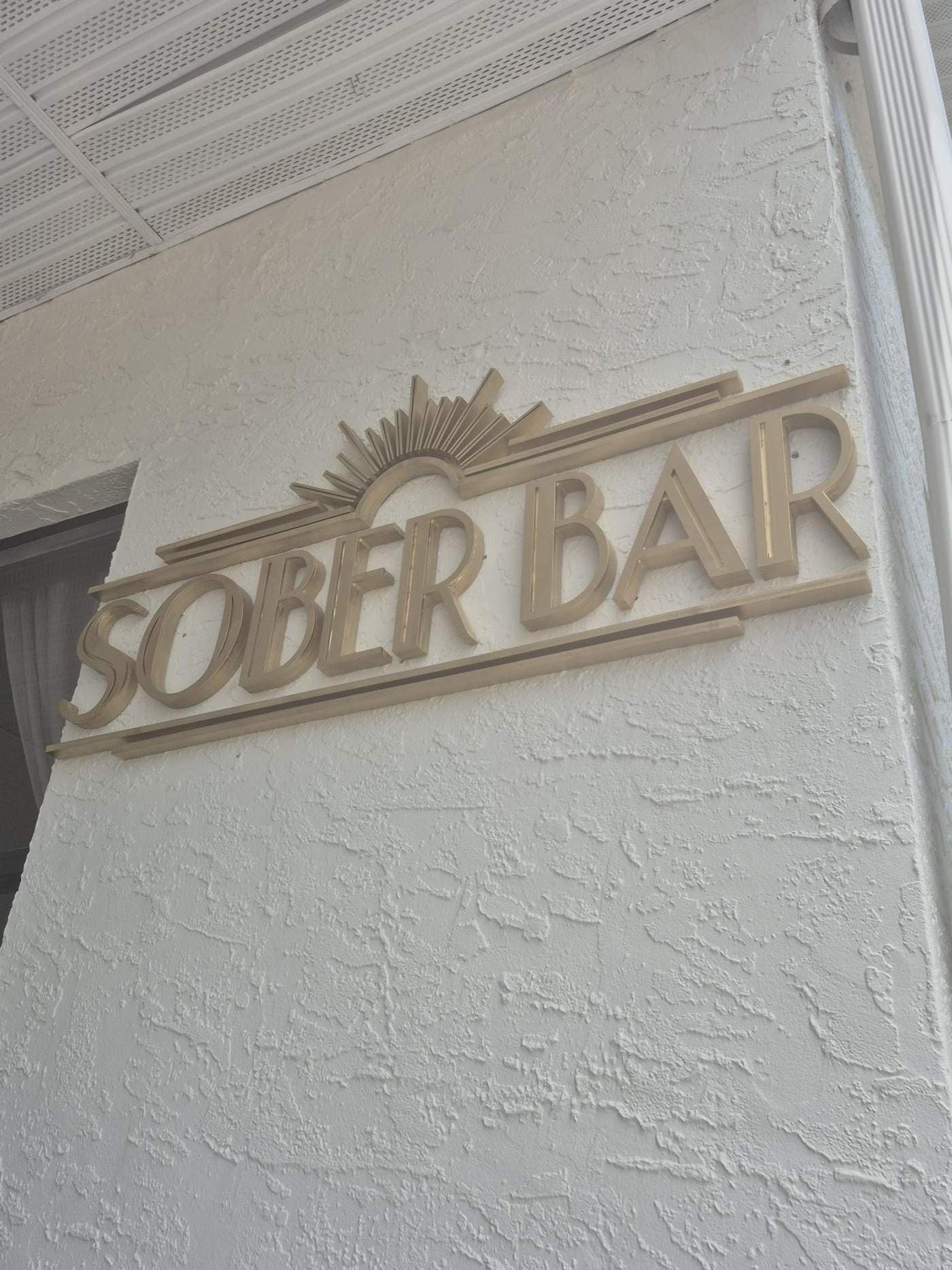
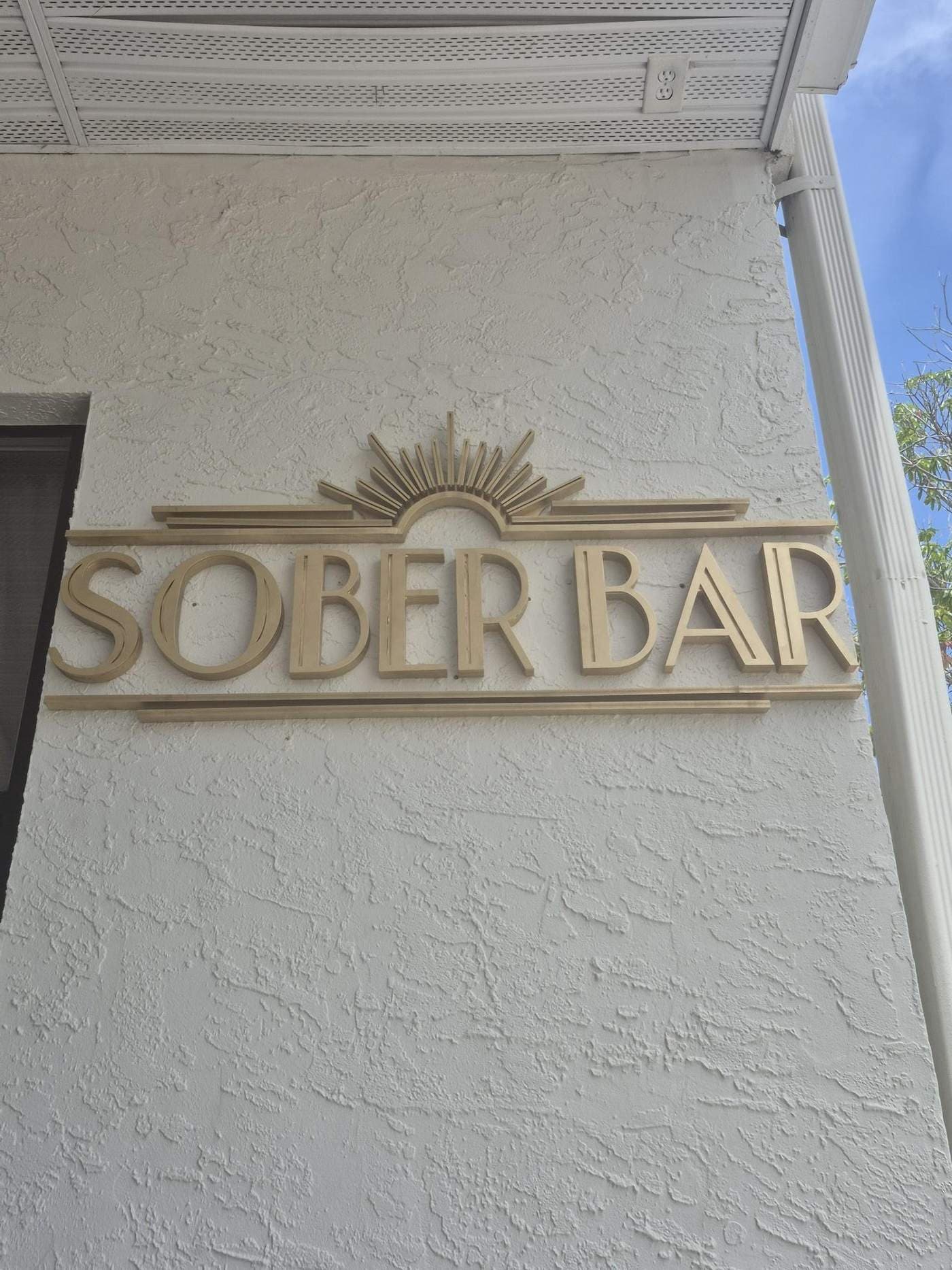
Outlining also exposes something fonts hide: hairline strokes. The art deco lettering above has thin rule lines and layered pieces, and every stroke had to be wide enough to survive the cutter and the paint. We measure the thinnest stroke against the material before we cut, which is where choosing a letter material starts to matter.
Should I send Pantone, CMYK, or hex colors?
Send a Pantone number if you have one. Hex and RGB values describe light on a screen; Pantone describes ink and paint. The Pantone Formula Guide covers 2,614 spot colors with "trusted ink formulations," and it works as a shared color language between designers, customers, and fabricators (Pantone, Formula Guide Set | Coated & Uncoated, 2026).
Your brand guide probably lists a hex code, which tells a monitor how much red, green, and blue light to emit. Paint and vinyl don't emit light, so we need a physical target. Pantone's Color Bridge pairs each spot color with its "closest industry-standard CMYK color matches" plus HTML and RGB values (Pantone, Color Bridge Guide Coated, 2026). That's how we get from a hex code to a painted letter.
From the shop floor: We paint and print to your Pantone number or to a physical swatch, and we'd rather have the swatch. A chip from your brand book beats a hex code every time, because we can hold it against the finished letter under real light before it leaves the shop.
Printed pieces follow different rules. In March 2026, HP's large-format guide advised "convert to CMYK before submission for most workflows" and "confirm with your print provider" (HP, Large Format Printing Best Practices, 2026). For printed acrylic panels from our shop, send the native file and the Pantone target; we handle the conversion.
What if all you have is a JPG from your website?
A website JPG can often be used, but not as-is. Vistaprint's help center warns that "images from social media, websites or screenshots are often too low in resolution for printing" (VistaPrint Help Center, What is image resolution, 2026). A web logo is a few hundred pixels wide, so our design team rebuilds it as vector rather than enlarging it.
Here's the math, using our own numbers. A 600-pixel-wide web logo printed 36 inches wide works out to about 17 pixels per inch. HP's 2026 viewing-distance table calls for 150 to 200 PPI at 3 to 5 feet (HP, Large Format Printing Best Practices, 2026), so that file is short by roughly a factor of ten.
Enlarging it doesn't help. Texas Wesleyan University's library guide, updated in August 2026, sets 300 DPI as the standard for good printing, with 150 sometimes acceptable "but never lower." Scaling up forces the software to invent pixels, which the same guide says yields "a very pixelated or very soft and blurry looking image" (Texas Wesleyan University West Library, Image Resolution, 2026).
So we rebuild. Our design team redraws logos from a website image, a business card, or a phone photo, tracing each shape as a clean vector path and matching the font. You approve a proof before anything is cut.
Some logos don't rebuild well, and we'll say so before we start. Photographic logos and soft gradients can be printed but not traced into clean paths. Gradients and hairline strokes also fail as cut letters, since each piece is one solid color and a thin stroke can't hold its shape. We'll suggest a printed panel or a simplified cut version instead.
Resolution matters most on printed, backlit faces. A backlit LED sign pushes light through the print, so every soft edge shows. For those we need vector art or a raster file sized to the final print at HP's PPI for the viewing distance.
What to send with your quote request
Five things get a sign quoted fast: your logo file, brand colors, a straight-on photo of the wall, rough dimensions, and your deadline. Send whatever you have, even if it's imperfect. A JPG and a phone photo are enough for us to tell you what's possible and what the artwork will need.
| What to send | Best version | Also fine | Why we need it |
|---|---|---|---|
| Logo file | AI, EPS, or vector PDF with fonts outlined | JPG or PNG from your website, or a business card | Cut letters follow the vector outline; anything else gets rebuilt |
| Brand colors | Pantone numbers or a physical swatch | Hex or RGB codes from your brand guide | Paint and print get matched to a physical target |
| Wall photo | Straight-on, whole wall, in daylight | Any phone photo of the wall | Sets sizing, mounting, and where power is for lit signs |
| Rough dimensions | Wall size plus the sign width you want | A tape-measure estimate | Letter size drives material, price, and readability |
| Deadline | The date the sign must be up | "No rush" is a real answer | Timing is quoted per project around the queue |
You can upload all five through our quote request form. If you want to know what drives the number, our guide to what lobby signs cost covers size, material, lighting, and installation. If a rebuild is needed, we tell you before you commit.
Frequently Asked Questions
Is a PDF a vector file?
Sometimes. Adobe notes a PDF can be raster-based depending on how it was made (Adobe, Raster vs. vector: What are the differences?, 2026). A PDF saved from Illustrator with live paths is vector. A PDF exported from Word, a scanner, or a photo app is a raster image in a PDF wrapper. Zoom in on a curve: crisp means vector, blocky means raster.
What is the best file format for a sign?
An AI or EPS file with outlined fonts is the best all-around format, because it carries cut paths and color in one file. For printed panels, Vistaprint's 2026 prepress checklist calls a high-resolution PDF "usually the best file format for print prepress" (VistaPrint, Prepress Checklist, 2026). For CNC-routed letters, a DXF of the outlines is ideal.
Can you convert a JPG to a vector file?
Yes, in most cases. Our design team redraws the logo from a JPG, a business card, or a photo, tracing each shape as a vector path. Simple wordmarks and flat logos rebuild well. Photographic logos and complex gradients don't trace cleanly, so we print those instead of cutting them, and you approve a proof first.
What does outlining fonts mean?
Outlining converts live, editable text into fixed vector shapes. In Illustrator, select the text and choose Type > Create Outlines; Adobe notes the text can no longer be edited with type controls afterward (Adobe, Add advanced formatting to text, 2026). The letter shapes then no longer depend on a font being installed, so they cut and print identically on any machine.
Do sign shops need CMYK or Pantone colors?
Both, for different jobs. Painted letters are matched to a Pantone number or a physical swatch. Printed panels run in CMYK, and HP's 2026 guidance recommends converting to CMYK for most workflows and confirming with the print provider (HP, Large Format Printing Best Practices, 2026). Send the Pantone reference and the native file; we handle the conversion.
The short version
Send a vector file with outlined fonts, a Pantone reference, a straight-on wall photo, rough dimensions, and your deadline. If all you have is a JPG, send it anyway. We'll tell you whether it rebuilds cleanly and which parts should be cut or printed.
Every file gets the same review before we cut: paths, strokes, fonts, and color. If something in the artwork won't work as a sign, you'll hear it at the proof stage, not after installation. Start a quote with whatever you have and we'll take it from there.
Sources
- Adobe, Raster vs. vector: What are the differences?, retrieved 2026-09-30, https://www.adobe.com/creativecloud/file-types/image/comparison/raster-vs-vector.html
- Adobe, EPS vs. SVG: What are the differences?, retrieved 2026-09-30, https://www.adobe.com/creativecloud/file-types/image/comparison/eps-vs-svg.html
- Adobe, Add advanced formatting to text | Illustrator, retrieved 2026-09-30, https://helpx.adobe.com/uk/illustrator/using/add-advanced-formatting-to-text.html
- W3C, SVG 2 Chapter 1: Introduction, retrieved 2026-09-30, https://www.w3.org/TR/SVG2/intro.html
- Autodesk, About the DXF Format (DXF), retrieved 2026-09-30, https://help.autodesk.com/view/ACD/2025/ENU/?guid=GUID-235B22E0-A567-4CF6-92D3-38A2306D73F3
- HP, Large Format Printing Best Practices: How to Avoid Costly Reprints (Mar 17, 2026), retrieved 2026-09-30, https://www.hp.com/us-en/tech-takes/printing/how-to/large-format-printing-best-practices.html
- VistaPrint, Prepress Checklist (June 16, 2026), retrieved 2026-09-30, https://www.vistaprint.com/hub/prepress-checklist
- VistaPrint Help Center, What is image resolution, and what resolution should I use when uploading?, retrieved 2026-09-30, https://www.vistaprint.com/customer-care/help-center/360060410751/
- Texas Wesleyan University West Library, Image Resolution (updated Aug 19, 2026), retrieved 2026-09-30, https://westlibrary.txwes.edu/c.php?g=978475&p=7079857
- Printful, How to prepare the perfect print file (updated July 28, 2025), retrieved 2026-09-30, https://www.printful.com/blog/everything-you-need-to-know-to-prepare-the-perfect-printfile
- Pantone, Formula Guide Set | Coated & Uncoated, retrieved 2026-09-30, https://www.pantone.com/products/graphics/formula-guide-coated-uncoated
- Pantone, Color Bridge Guide Coated, retrieved 2026-09-30, https://www.pantone.com/color-bridge-guide-coated
About the author
Bryan · Owner, Bryan Fabrication Works
Bryan owns and runs Bryan Fabrication Works, a Tampa sign shop that designs, cuts, finishes, and installs lobby signs, halo-lit LED signs, dimensional letters, ADA signage, and memorial boards under one roof. The guides here come from the questions customers ask him during quotes, and from the jobs in the portfolio.
More about the shop